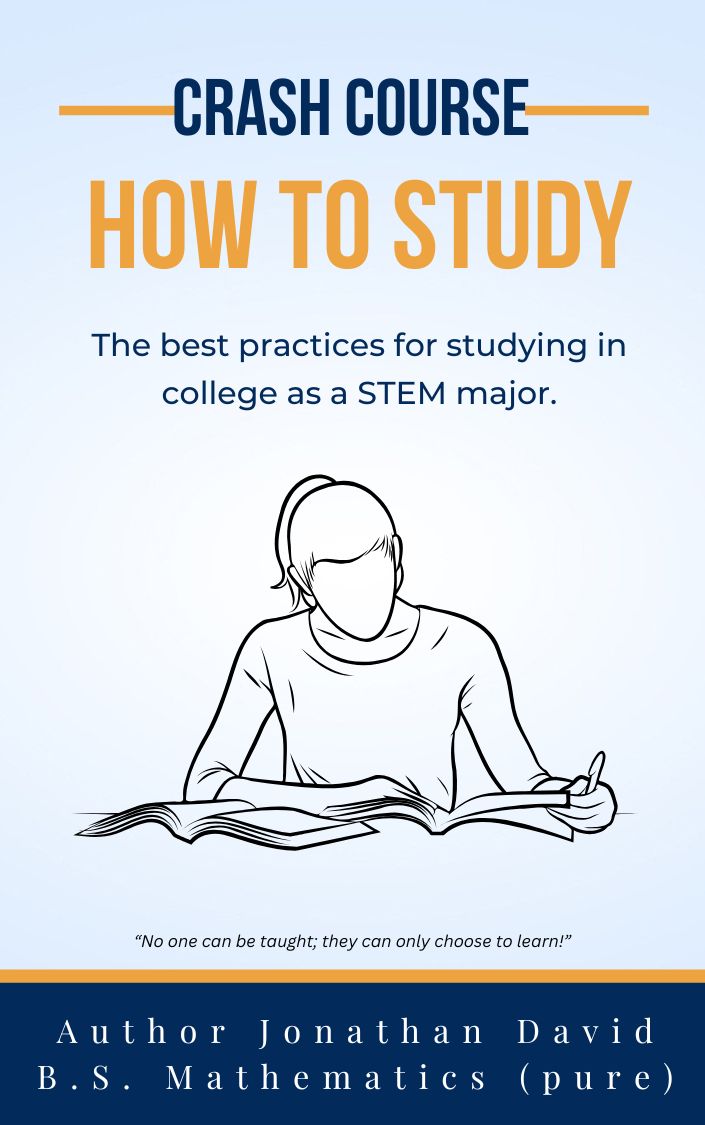

How I Organize and Write My Books — What I Use AI For
In this behind-the-scenes video, Author Jonathan David begins organizing years of mathematical writing, study guidance, references, and individual documents into a consolidated manuscript. He demonstrates his file organization and Microsoft Word workflow while explaining where AI assistance fits into his publishing process.
What This Video Covers
- Choosing a primary manuscript and creating a dedicated project folder.
- Organizing Word documents, PDFs, completed material, and references.
- Using numbered filenames to arrange sections.
- Maintaining consistent Word styles, headings, and page layout.
- Cleaning up text pasted from ChatGPT.
- Distinguishing original writing from AI-assisted graphics and supporting material.
- Reviewing the additional mathematical material included in the Red Edition.
1. Create a Dedicated Project Folder
- Choose the primary file. Jonathan starts with an existing Word document that already contains his preferred formatting.
- Create a folder for the project. He uses a working name related to the final edition of the crash course. The book’s final title remains undecided during the demonstration.
- Place the primary manuscript in that folder. This becomes the central document into which the other material will be assembled.
- Arrange the folder for easy navigation. Jonathan demonstrates cleaning up the icon arrangement and organizing files by name and kind.
2. Establish the Manuscript’s Formatting
Rather than rebuilding the layout, Jonathan checks the styles and page settings in his existing document. The working manuscript is based on The STEM Major’s Guide to the University, with a possible focus on adults returning to STEM education.
- Review the page layout. Open the custom margin settings and check the layout intended for the physical edition.
- Check the title and subtitle styles. In this document, Jonathan demonstrates a centered title using Cambria Math at 51 points.
- Review Heading 1, Heading 2, and Heading 3. These styles establish the hierarchy of chapters, sections, and subsections.
- Review the Normal style. Keep the body text consistent with the chosen document design.
- Check the existing table of contents and page numbers. Confirm that the document’s navigation and page elements remain in place.
- Review publishing information. Check the website, company name, copyright information, headers, and footers.
The print settings shown are Jonathan’s working example. Use the specifications for your chosen printer and edition when preparing your own publication.
3. Use AI for a Supporting Draft
Jonathan demonstrates asking ChatGPT to draft a copyright page. His request includes the book title, author name, False Reality Publishing, the page dimensions, and an explanation that the educational book is intended to provide study guidance rather than replace college instruction.
- Provide the book’s identifying information and intended purpose.
- Specify the page size and available space.
- Review the resulting draft and request changes if needed.
- Paste the text into Word and apply the manuscript’s formatting.
- Verify the wording and publication details before using the page.
Jonathan identifies this as an example of AI assistance with supporting material. He distinguishes it from the mathematical explanations and other original content he writes himself.
4. Clean Up Text Pasted into Word
The video shows how pasted text can carry unwanted formatting or visible markup into a manuscript. Jonathan cleans it up before adjusting the page.
- Paste without source formatting. Jonathan demonstrates Command–Shift–V in his setup. Use the corresponding plain-text or destination-formatting option available in your version of Word.
- Select the pasted material and apply Normal. Bring the body text into line with the document’s established style.
- Remove unwanted markup. He uses Find and Replace to remove double asterisks left in the copied text. Limit replacements to the relevant material so intentional symbols are preserved.
- Adjust spacing and alignment. Arrange the page so the text fits neatly and remains readable.
- Add the website message. Include a link directing readers to the accompanying audiobooks and video lessons.
5. Sort the Existing Material
The project contains many files accumulated across different projects. Jonathan reviews them individually to determine what belongs in the manuscript and what has already been included elsewhere.
- Separate PDFs from editable Word files. Keep each format easy to locate.
- Identify completed documents. Store finished collections where they can be distinguished from individual working sections.
- Check apparent duplicates. Compare their contents before deciding which copy to retain.
- Remove empty or unnecessary folders. Jonathan simplifies the folder structure as he proceeds.
- Preserve individual solution files. These let him revisit and demonstrate specific pieces of the larger collection.
6. Use Numbered Filenames
Jonathan uses numerical prefixes to keep material in an intended sequence. His examples include introductory files numbered with prefixes such as 0.0 and 0.1, followed by subject sections.
- 1.0 — Algebra
- 2.0 — Trigonometry
- 3.0 — Precalculus
The exact labels can change with the project. The purpose is to make the structure visible in the filenames and make sections easier to locate.
7. Consolidate One Section at a Time
- Open a source document. Review its contents and identify where the material belongs.
- Check whether it is already included. Jonathan compares a differential-equations solution with an existing completed collection before adding it again.
- Copy the required material into the primary manuscript. Assemble the book from the retained sections.
- Apply the appropriate styles. Use Normal for body text and the relevant heading style for section titles.
- Insert a page break where needed. Start major sections on a new page.
- Save and proceed to the next file. Work through the collection in manageable pieces.
Jonathan explains that much of this material has already been reviewed repeatedly. His focus in this session is gathering and organizing it into a complete manuscript.
8. Add the References
Jonathan locates his textbook citations, copies them into the primary document, and places them toward the end of the book under a References heading.
Keeping the references together helps preserve the source information as the surrounding manuscript is reorganized.
What Jonathan Uses AI For
The video presents several examples of AI assistance within his broader workflow:
- Supporting text. Drafting a copyright page and summarizing his own spoken transcripts.
- Selected graphics. Generating or refining particular images used in covers and promotional material.
- Refining his own illustrations. Jonathan shows a diagram he first drew in Canva and then had redrawn to improve its appearance.
- Design prototypes. Exploring labels and other visual elements before revising them for use.
He also shows covers assembled in Canva using separate design elements and stock imagery. Different projects use different combinations of tools.
Inside the Red Edition’s Additional Material
Jonathan reviews a completed collection associated with Math Monthly and explains that approximately 200 additional pages of mathematical material were incorporated into the newest Red Edition.
The demonstration includes differential-equations work, Word equation-editor content, references, and an illustrated diagram. These examples give readers a closer look at the additional solution-writing material.
Follow the Book’s Development
This video begins a playlist documenting the consolidation process. Jonathan plans to share individual files, examples, and production decisions as he brings the material together.
Visit Author Jonathan David’s website for the growing collection of podcasts, educational material, fiction, ebooks, and author-narrated video audiobooks.
Every other video is free, and the alternating videos are for members. Become a member for full access to my lessons, podcasts, reading library, and video audiobooks—all ad-free on my website.
Monthly and annual members can request podcast topics. Requests are addressed one at a time in the order received, with up to two requests per month. Members can also comment and interact with other members.
Disclaimer: My videos and podcasts express personal opinions and are intended strictly for entertainment. Commentary may include speculation, hearsay, satire, or fictional material and should not be treated as verified fact or professional advice. This post summarizes the workflow demonstrated in the video. Fictional works may contain mature themes and are recommended for audiences 18 and older.